

When someone asks you what 1K is, what do you say?
1000 pixels?
Or 1024 pixels?
Because both answers are technically correct.
And that’s where the trouble starts.
Why 1024? Because in textures, image sizes usually follow powers of two.
2, 4, 8, 16, 32, 64, 128, 256, 512, 1024.
So in that context, 1K quietly becomes 1024.
Now try 2K.
Is it 2000 pixels?
Or 2048 pixels?
And then someone throws in a monkey wrench, 1920.
Why 1920?
Because that’s the width of a common monitor resolution.
1920 × 1080.
Which we call HD (High Defination) or FHD (Full HD)
Or HD1080.
Or just “1080p.”
Until someone casually calls it 2K anyway.
And just to keep things spicy, there’s also HD720 or HD-Ready.
That’s 1280 × 720.
Now let’s talk about 4K.
Is it 4000 pixels?
4096 pixels?
Or 3840 pixels?
Why 3840?
Because 3840 × 2160 is exactly double 1920 × 1080.
That resolution is officially called Ultra HD.
But cinema 4K is 4096 × 2160.
Different standard.
Same nickname.
So depending on who you’re talking to, “4K” can mean three different things, and everyone nods like this is normal.
In everyday life:
1K means 1000
2K means 2000
4K means 4000
In textures:
1K means 1024
2K means 2048
4K means 4096
In monitors and displays:
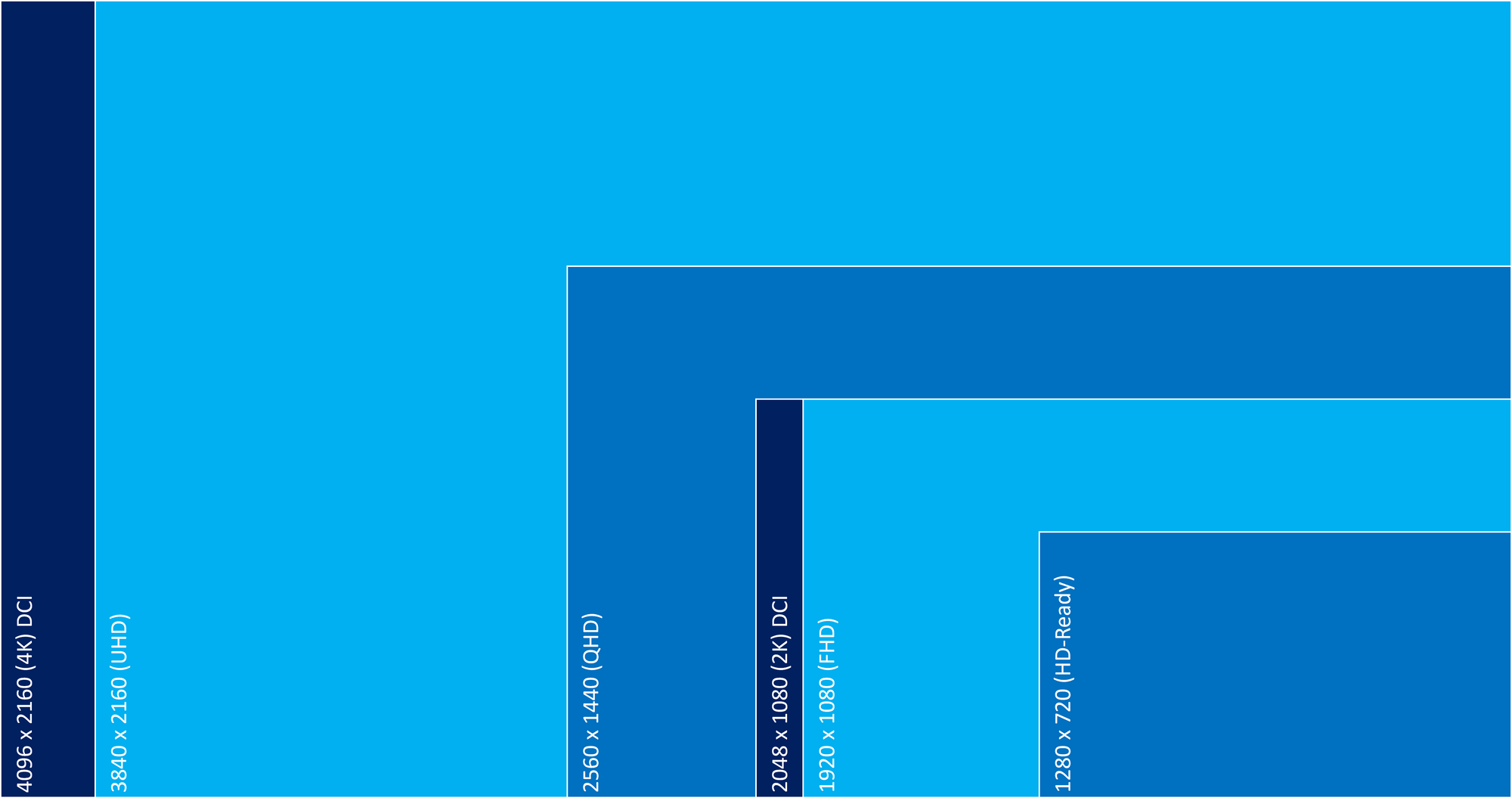
HD720 is 1280 × 720
HD or 1080p is 1920 × 1080 (and yes, people still call this 2K)
2K is 2048 × 1080
Ultra HD is 3840 × 2160 (which people also call 4K)
4K (cinema) is 4096 × 2160
None of this is wrong.
It’s just context-dependent.
If you’re talking to the general public, say HD, 2K, or 4K and move on with your life.
If you’re buying monitors, building pipelines, or troubleshooting a shot at 3 a.m., be specific.
Very specific.
Because jargon isn’t about sounding smart.
It’s about knowing which language you’re speaking before the pigs start jumping over the moon.


Discussion